




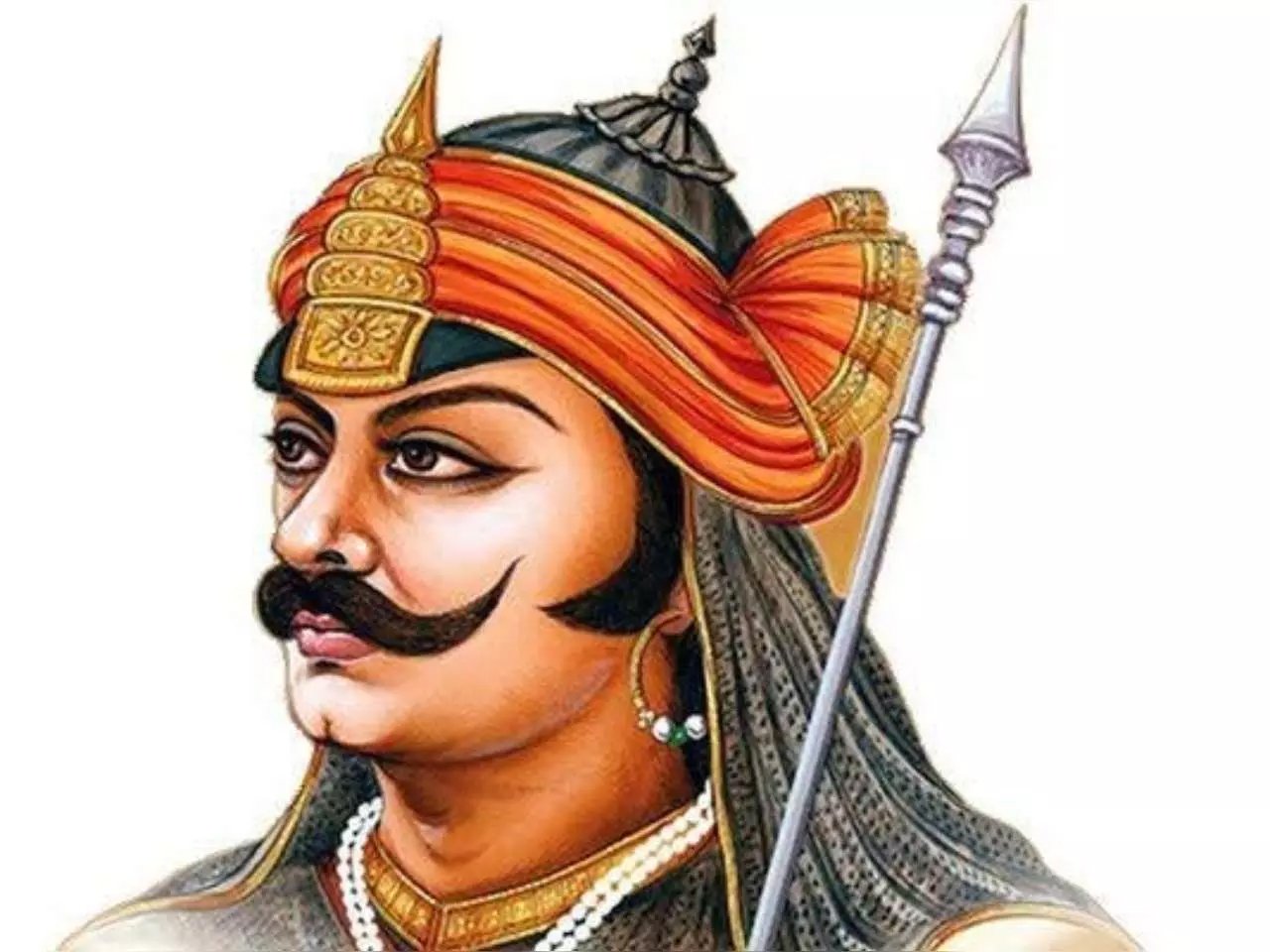
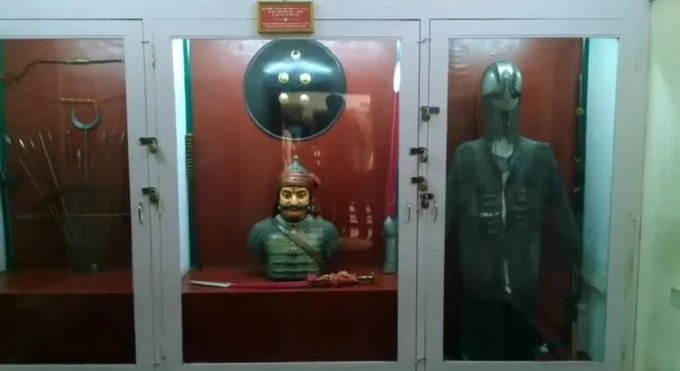
राजस्थान के मेवाड़ और हल्दीघाटी के लोग महाराणा प्रताप का नाम लेकर दिन की शुरुआत करते हैं। महाराणा प्रताप ने कभी पराधीनता स्वीकार नहीं की और न ही कभी हारे। उनके शौर्य की विजय पताका हमेशा लहराती रही। उनका जन्म सन् 1540 में राजस्थान के कुंभलगढ़ में हुआ था। जन्म की तिथि थी ज्येष्ठ माह के शुक्ल पक्ष की तृतीया। महाराणा प्रताप की जयंती हिंदू पंचाग के अनुरूप भी मनाई जाती है। महाराणा प्रताप की तलवार, कवच आदि सामान आज भी उदयपुर राज घराने के संग्रहालय में सुरक्षित है
बताया जाता है कि चण्डू ज्योतिषी ने प्रताप की जन्म पत्रिका तैयार की। उनका जीवन राजसी वैभव से अप्रभावित, सादगी और विनम्रता से परिपूर्ण था। वह शस्त्र विद्या में निपुण थे। आसपास के इलाके में “कीका ” नाम से विख्यात थे। वह भीलों के साथ भी रहे। वनवासियों से उनकी घनिष्ठता प्रगाढ़ थी।
महाराणा और अकबर के बीच संघर्ष को सत्ता संघर्ष कहने वाले करते हैं भारतवासियों का अपमान
स्तभंकार प्रणय कुमार कहते हैं कि छद्म पंथनिर्पेक्षता की राजनीति करने वाले लोग महाराणा प्रताप और अकबर के बीच हुए संघर्ष को सत्ता संघर्ष मात्र बताकर मातृभूमि, स्वधर्म, स्वदेश, स्वत्व और स्वाभिमान की रक्षा के लिए सबकुछ अर्पण की प्रेरणा जगाने वाले राष्ट्र के सर्वमान्य एवं सार्वकालिक महानायक महाराणा प्रताप का अक्सर अपमान करते रहते हैं। यह अपमान केवल उस महापुरुष का अपमान नहीं है बल्कि उन सबका अपमान है जो किसी न किसी स्तर पर उनसे महानतम प्रेरणा लेते हैं। जिनका नाम लेते ही नश-नश में बिजली सी दौड़ जाती है। धमनियों में उत्साह, शौर्य और पराक्रम की धारा प्रवाहित होने लगती है। मस्तक गर्व और अभिमान से ऊंचा हो जाता है। उनका त्याग और बलिदान का उदाहरण था। उन्हें सत्ता से अधिक मातृभूमि की स्वाधीनता, कुल की मान-मर्यादा, अपने पूर्वजों की गौरवशाली परंपरा और प्रजा के हित की चिंता थी। पूरे सनातन भारत की, महान राजाओं की प्रजावत्सलता और उदात्त मूल्यों का बोध था। उनके पास अन्य समकालीन राजाओं की तरह उनके सामने विकल्प था कि वह विधर्मी और आक्रमणकारी शासक के सामने स्वाभिमान को गिरवी रख अपमानजनक संधि कर लेते। पर उन्होंने कठिन और संघर्षपूर्ण विकल्प चुना। वि.सं. 1653 माघ सुदी 11 को उन्होंने प्राणोत्सर्ग किया।
खानखाना ने महाराणा की प्रशंसा में पंक्तियां लिखीं
1576 से 1585 तक अकबर ने सात बार बड़ी सेना महाराणा पर आक्रमण करने के लिए भेजी थी। हर आक्रमण असफल रहा। अकबर हर मामले में महाराणा प्रताप से पराजित हुआ। अब्दुल रहीम खानखाना को भी अकबर ने आक्रमण के लिए भेजा था। खानखाना ने महाराणा की प्रशंसा में पंक्तियां लिखीं-
धरम रहसी रहसी धरा ,
खप जासी खुरसाण।
अमर विसम्भर ऊपरे ,
राख निहच्चौ राण।।
अर्थात् धर्म रहेगा, धरती रहेगी, परन्तु शाही सत्ता सदा नहीं रहेगी। अपने भगवान पर भरोसा करके राणा ने अपने सम्मान को अमर कर लिया है।
जयप्रकाश विश्वविद्यालय के पूर्वकुलपति प्रो.हरिकेश सिंह का एक लेख पांचजन्य में प्रकाशित हुआ था। इसमें उन्होंने कुछ प्रश्न उठाए थे। उन्होंने लिखा था कि अकबर को ‘महान’ विशेषण से अलंकृत करने वाले इतिहासकारों एवं इस झूठ को दस्तावेज के रूप में अब भी प्रचारित एवं प्रसारित करने वाले विद्वानों से मेरे कुछ प्रश्न हैं। पहला – क्या वह महान इसलिए था कि ‘हरम’ में जाता था, और एक से अधिक विवश नारियों से सम्बंध बनाता था ? दूसरा – क्या वह ‘मीना’ बाज़ार नहीं लगवाता था ? क्या मीना बाज़ार लगवाना महानता का परिचायक है ? तीसरा – क्या वह प्रलोभन द्वारा धर्मांतरण नहीं करवाता था ? चौथा – क्या वह छल, छद्म एवं पाखण्ड का सहारा नहीं लेता था ? पांचवा – क्या वह पवित्र क्षत्राणियों को जौहर व्रत के अंतर्गत सती होने के लिए विवश नहीं करता था ? छठा – क्या उस दीन-ए- इलाही स्वयं इस्लाम के वसूलों के विपरीत नहीं था ?और सातवां – क्या उसका सम्पूर्ण आचरण घिनौना, क्रूर तथा दानवीय नहीं था ?
इतिहास विध्वंसंकों को एक सुझाव है कि वह कर्नल टॉड की प्रसिद्ध पुस्तक “एनल्सएंडएंटीक्विटीज़ ऑफ़ राजस्थान” अवश्य पढ़ें तथा उसकी स्वीकारोक्ति के हिन्दी अनुवाद को इन पंक्तियों में देखें।
“अरावली की पर्वतमाला में एक भी घाटी ऐसी नहीं है,
जो राणा प्रताप के पुण्य कर्म से पवित्र नहीं हुई हो,
चाहे वहां उनकी विजय हुई या यशस्वी पराजय ”
राजस्थान की महादेवियों का महासतित्व और महाराणा का शौर्य ही भारत के अस्तित्व को बचा पाया है।
महाराणा प्रताप ने मातृभूमि की रक्षा के लिए मुगलों को कड़ी टक्कर दी थी। वह कभी हारे नहीं। वह हारते भी तो कैसे उनके साथ उनका प्रिय चेतक जो था। चेतक उनका प्रिय घोड़ा था। आपने बचपन में दो कविताएं जरूर सुनी होंगी। ये कविताएं हैं महाराणा प्रताप की तलवार और चेतक पर। इसके रचयिता वीर रस के कवि श्यामनारायण पांडेय हैं। कविता पढ़ें
राणा प्रताप की तलवार
चढ़ चेतक पर तलवार उठा,
रखता था भूतल पानी को।
राणा प्रताप सिर काट काट,
करता था सफल जवानी को।।
कलकल बहती थी रणगंगा,
अरिदल को डूब नहाने को।
तलवार वीर की नाव बनी,
चटपट उस पार लगाने को।।
वैरी दल को ललकार गिरी,
वह नागिन सी फुफकार गिरी।
था शोर मौत से बचो बचो,
तलवार गिरी तलवार गिरी।।
पैदल, हयदल, गजदल में,
छप छप करती वह निकल गई।
क्षण कहाँ गई कुछ पता न फिर,
देखो चम-चम वह निकल गई।।
क्षण इधर गई क्षण उधर गई,
क्षण चढ़ी बाढ़ सी उतर गई।
था प्रलय चमकती जिधर गई,
क्षण शोर हो गया किधर गई।।
लहराती थी सिर काट काट,
बलखाती थी भू पाट पाट।
बिखराती अवयव बाट बाट,
तनती थी लोहू चाट चाट।।
क्षण भीषण हलचल मचा मचा,
राणा कर की तलवार बढ़ी।
था शोर रक्त पीने को यह,
रण-चंडी जीभ पसार बढ़ी।।









टिप्पणियाँ